Technical guide
MikroTik router management: the RouterOS operations cycle
Managing a MikroTik router is more than opening Winbox. It is how you connect, how you change config without losing the site, when you upgrade RouterOS, and how you diagnose a link before you drive. This guide stays at one appliance — not a fleet.
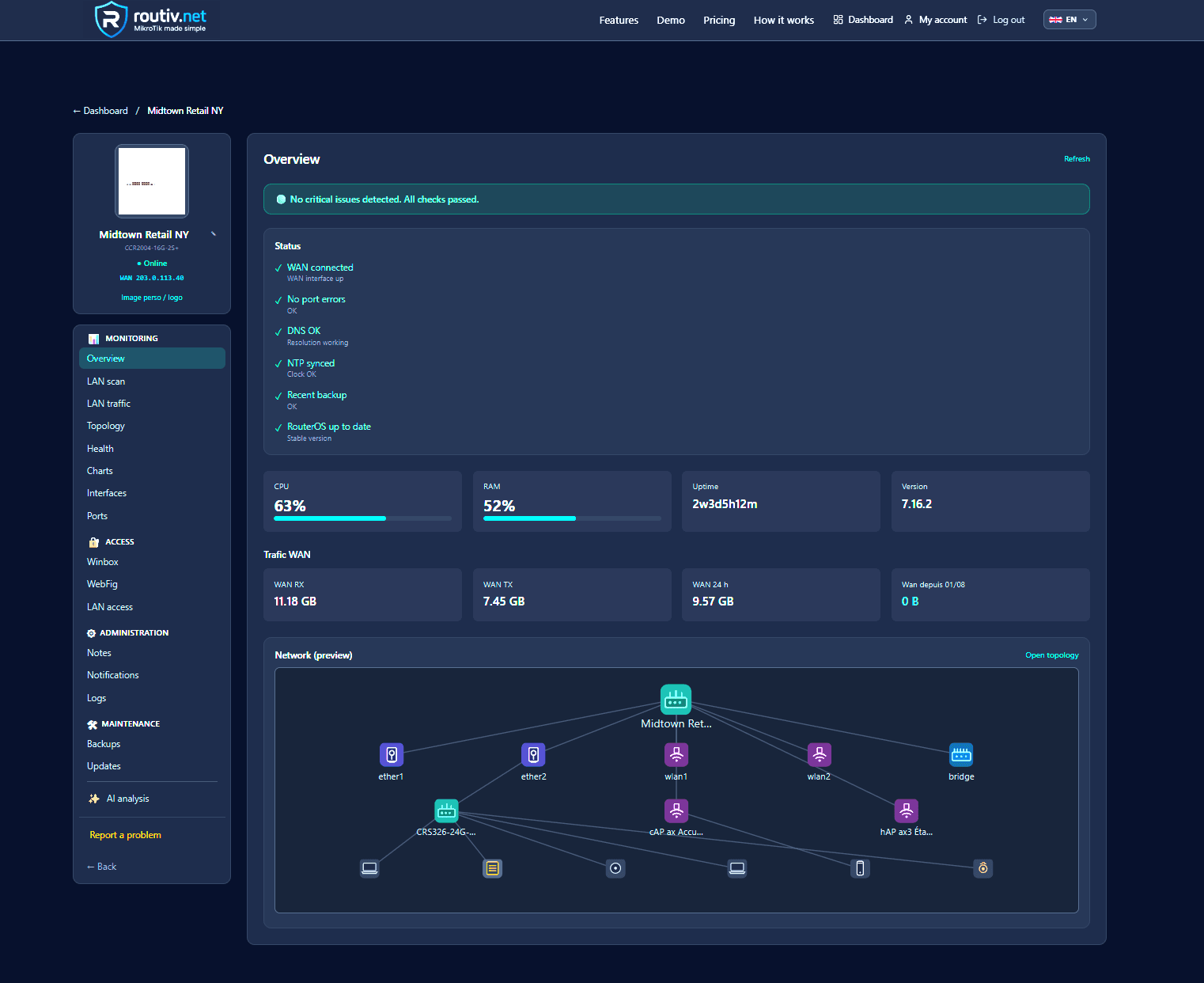
Router management vs network configuration
Network configuration (routes, NAT, firewall, queues) stays with the engineer in Winbox or the terminal. Router management is everything around that config: who may connect, where the last export lives, which version is running, how you know the WAN is dead without being on site.
Many “MikroTik down” tickets are management failures: lost password, no backup, Winbox unreachable after a WAN IP change, upgrade launched without an export. Keep those topics separate so firewall debugging is not mixed with operational hygiene.
On a single critical router (clinic, warehouse, lab CHR) the discipline already pays. It becomes non-negotiable when the same person runs several customers — but the unit of work is still one device.
Access: Winbox, SSH, API
RouterOS offers several doors. Mixing them without a policy is the first debt.
- Winbox (8291): convenient, dangerous if published on the WAN
- SSH: automatable (backup, scripts), restrict to a management prefix
- API / REST: metrics and bounded actions, ideal for tooling
- WebFig: ad-hoc rescue, not a permanent surface
Do not publish admin on the Internet
A managed router is reached over a revocable path: VPN, outbound tunnel, or time-boxed session. Leaving 8291 open “for now” is the most expensive default after an Internet scan.
Dedicated accounts
A human local admin, a tooling account (read + backup + reboot), no single password recycled across customers. Router management starts with identity.
Change config without losing the site
Any firewall, default-route or PPPoE edit can isolate the router. Minimum sequence before a risky change: export/backup off-box, agreed window, rollback plan (RouterOS safe mode or restore).
Winbox safe mode reverts if the session drops — useful interactively. It does not replace a restore file stored elsewhere. A firmware brick or reset only has the external export.
- Cloud backup or scp copy immediately before the window
- One change at a time on the management path
- Confirm the session returns before you close the ticket
RouterOS upgrades
check-for-updates then install reboots the box. On a single site that means: fresh backup, customers informed, boot time matching the hardware (seconds on a recent CCR, longer on a loaded small hAP).
Pilot the target build on identical lab gear (v6 vs v7, firewall syntax). Router management is not “always latest stable”; it is “a validated, tracked, restorable version”.
Diagnose without being on site
Before Winbox, a well-managed router already shows last-seen, CPU, RAM, WAN counters, optionally a ping from the router to 1.1.1.1 or the LAN gateway.
Those signals split “ISP CPE down”, “CPU at 100%” and “management tunnel dead while the customer LAN is fine”. Without them every ticket starts with a drive or a screenshot request to a non-technical person on site.
Backup: local is not enough
/system backup and /export live on the router until the router dies. Managing a MikroTik router means a named, dated copy off flash, recoverable if the unit is powered off.
Frequency: daily on a site that changes often, at least before every upgrade. An untested restore is not a recovery plan.
Anti-patterns of MikroTik router management
They cost more than a tool.
- One admin password shared over SMS
- Winbox on the public IP “temporarily” for 18 months
- No config copy off the router
- Friday-night upgrade with no lab
- No notes: the next engineer rediscovers the custom NAT
Routiv as a router-management layer
Routiv does not write your traffic-plane config. It frames the lifecycle: management tunnel, RouterOS identity card, cloud backups, offline alerts, time-boxed Winbox/WebFig sessions, ping diagnosis.
On one production router: enrol it, confirm the first backup and an access session, then expand. 30-day trial — no card — on routiv.net.
FAQ
Is Winbox enough to manage a MikroTik router?+
To configure, yes. To operate (off-site backup, last-seen, revocable access), no.
Should port 8291 be open?+
Not permanently. Use VPN or a temporary session over a management tunnel.
How often should I back up?+
Before every risky change and at least daily on a critical site.
How do I upgrade RouterOS without breaking the site?+
External backup, lab-tested version, window, post-reboot check of WAN and management tunnel.
SSH or API for tooling?+
Both. SSH for backup/scripts, REST for metrics and short actions. Separate accounts.
What if the router is unreachable remotely?+
Split “tunnel down” from “site down”. A local ping or on-site contact decides. last-seen stops you driving too early.
Does safe mode replace a backup?+
No. Safe mode reverts a dropped Winbox session. It does not survive a brick or reset.
Can I manage a MikroTik with no DNS on the router?+
Yes if endpoints (VPN, optional updates) are IPs. DNS is not a management prerequisite.
Related guides
30-day trial — no credit card
30-day free trial