Technical guide
MikroTik monitoring software for multi-site RouterOS
Monitoring a single hEX from Winbox is easy. Monitoring fifty customer routers means centralized metrics, offline alerts that survive reboots, and a dashboard your team can open from anywhere.
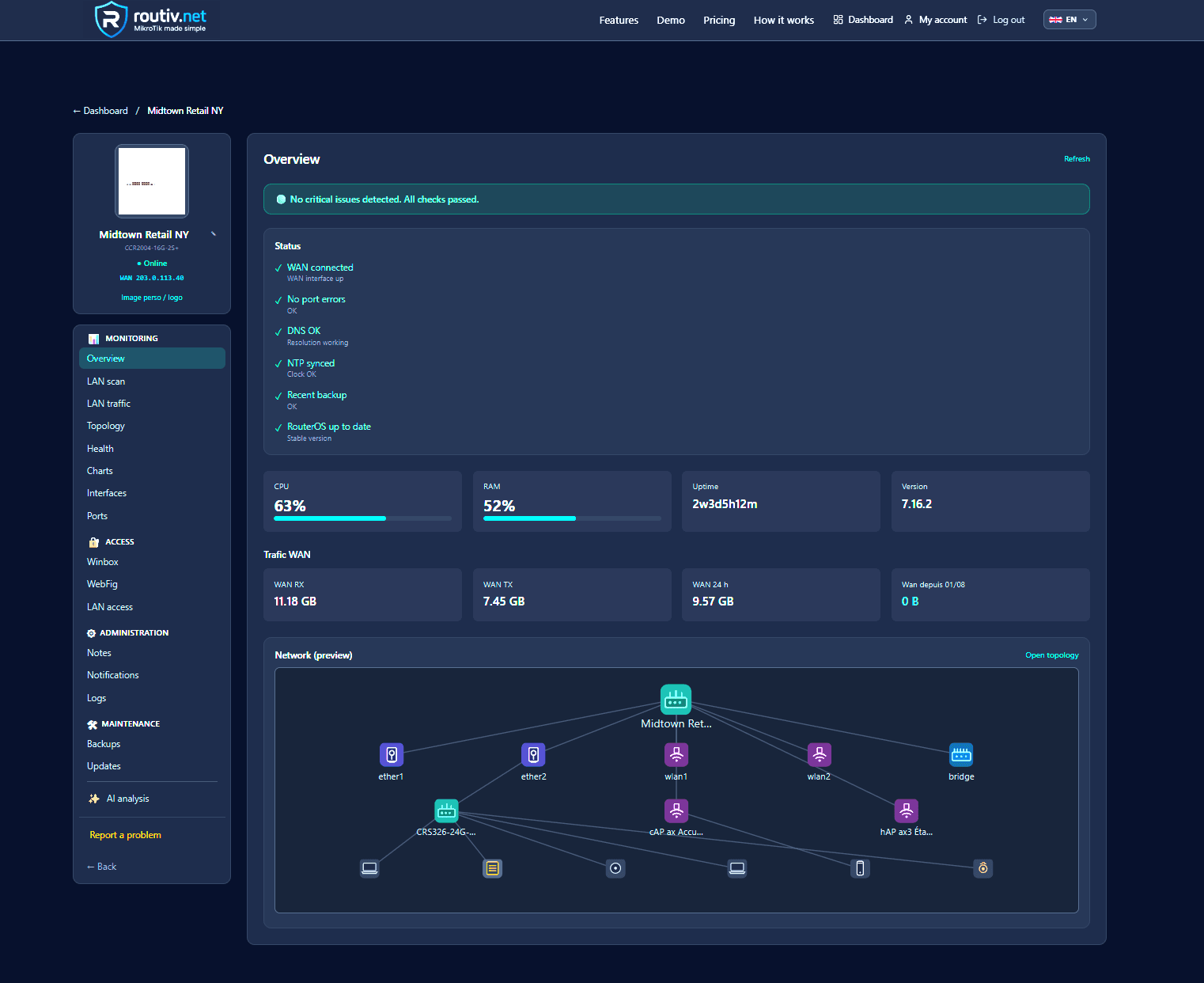
What MikroTik monitoring should cover
At minimum: reachability, last-seen, CPU, memory, and basic WAN signals. Better systems add health checks (DNS, NTP, backup age) and guided fixes.
History matters: without retained metrics, every incident becomes a guess.
- Online / offline with grace for reboots
- CPU and memory trends
- Backup freshness
- Alert channels (email, app, optional chat)
SNMP stacks vs RouterOS-aware platforms
Generic NMS tools can poll SNMP. RouterOS-aware platforms also understand adoption, backups, and remote admin workflows — the difference between graphs and operations.
Routiv as a MikroTik monitoring platform
Routiv collects metrics into a multi-router dashboard, tracks offline periods, runs health checks, and pairs monitoring with backups and secure remote access.
It is built for people who already live in RouterOS — not for generic switch-only estates.
FAQ
What is the best MikroTik monitoring software?+
The best fit depends on scale. For multi-site RouterOS with remote access and backups in one place, a MikroTik-focused cloud platform is usually faster than assembling SNMP + VPN + scripts.
Can I monitor RouterOS without opening ports?+
Yes. Prefer outbound management tunnels and session-based access instead of permanent public Winbox.
Does monitoring include backups?+
Good platforms couple both: a green graph with a three-month-old config is still a risk.
Related guides
30-day trial — no credit card
30-day free trial