Technical guide
RouterOS controller for your MikroTik fleet
A RouterOS controller is the operational layer above individual Winbox sessions: inventory, availability, alerts, backups and guided access across every device running RouterOS.
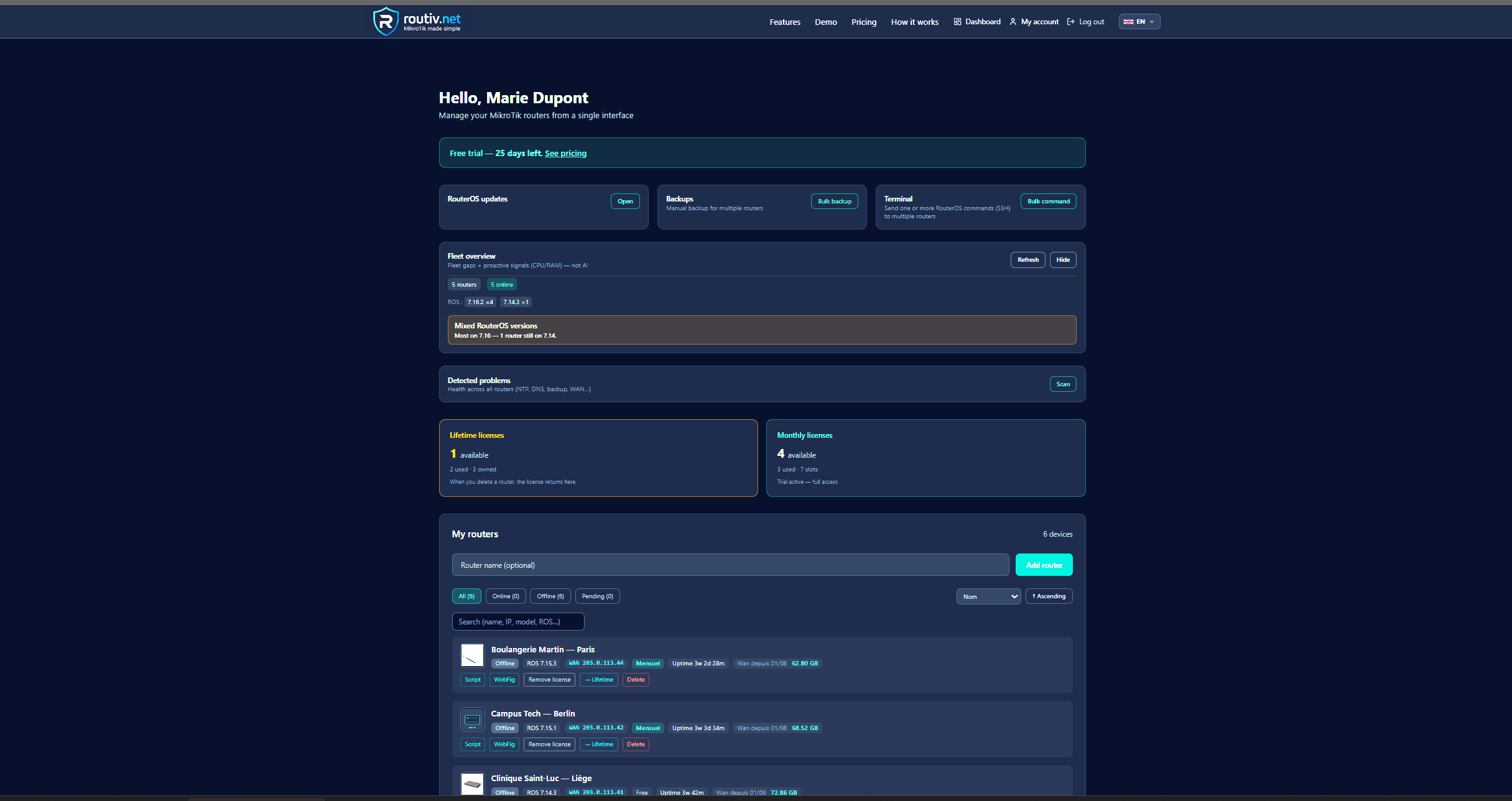
Role of a RouterOS controller
Winbox configures one box. A controller answers fleet questions: which devices are offline, which backups are stale, who opened an admin session last night.
It does not replace RouterOS features — it orchestrates them at scale with retention, permissions and audit.
Core capabilities
Expect at least these building blocks.
- Live inventory (model, ROS version, identity)
- Online/offline with history
- Metrics trends (CPU, RAM, WAN)
- Scheduled off-site backups
- Time-boxed remote admin
RouterOS v6 and v7
Both generations remain in the field. Validate API/REST behaviour on a pilot before a wide rollout, including backup and metrics collection.
Routiv as a RouterOS controller
Routiv is built for RouterOS operators: multi-router dashboard, health, topology, LAN tools, backups, alerts, controlled Winbox/WebFig sessions.
Start with a trial device, then expand to the fleet.
FAQ
Is a RouterOS controller the same as a MikroTik controller?+
In practice yes for RouterOS fleets. Marketing names vary; the job is centralized operations on MikroTik/RouterOS devices.
Do I still need Winbox?+
Yes for deep configuration. The controller reduces how often you open it and how you reach the device safely.
v6 still supported?+
Validate on your exact builds during trial; many fleets still mix v6 and v7.
Related guides
30-day trial — no credit card
30-day free trial